
备份
适用机型 戴尔dell 飞宇高级影像工作站 ANYTHINK 4.*
开机按F2 进入BIOS系统
进Settings>General>Boot Sequence
点击上下箭头调整开机引导顺序
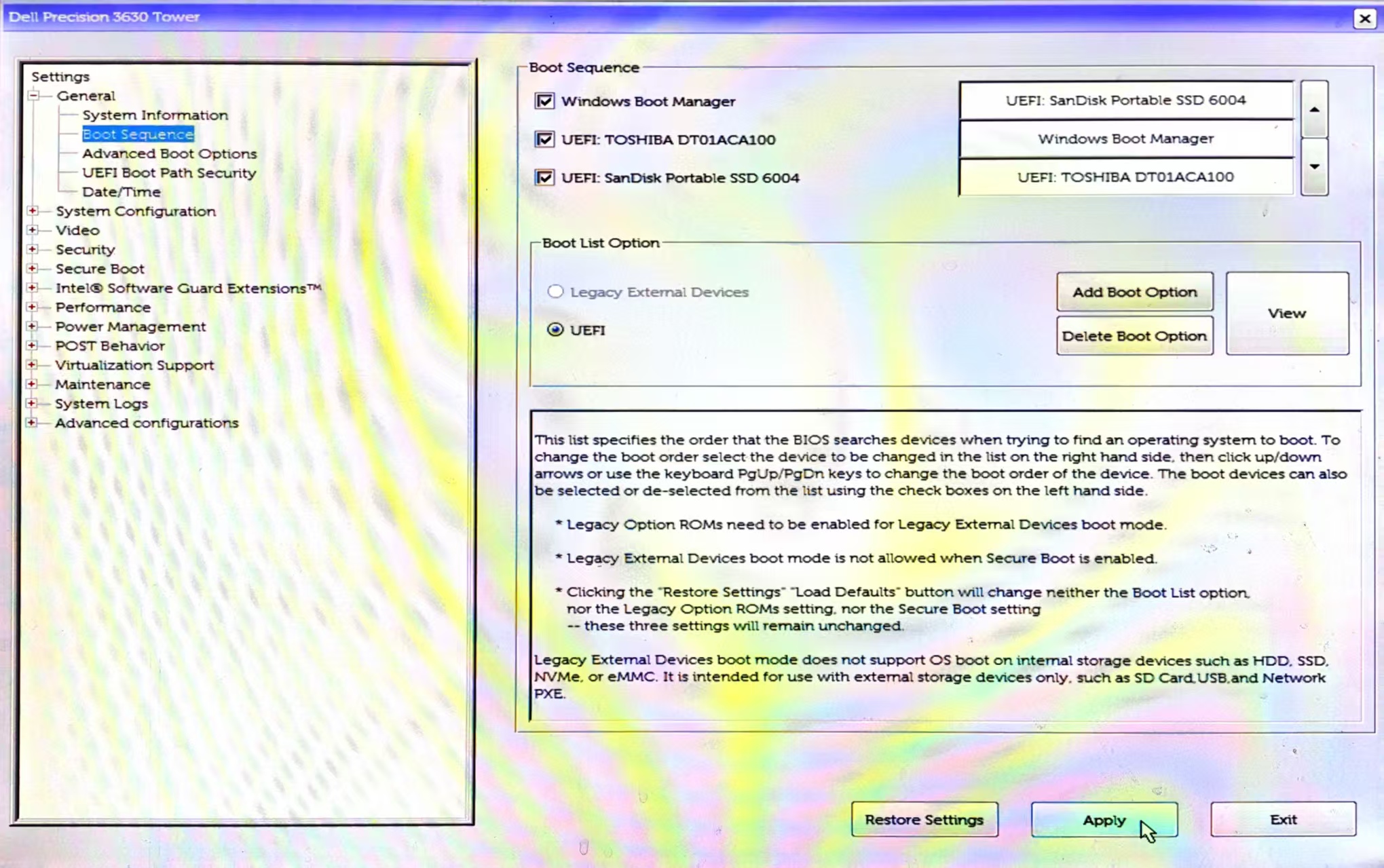
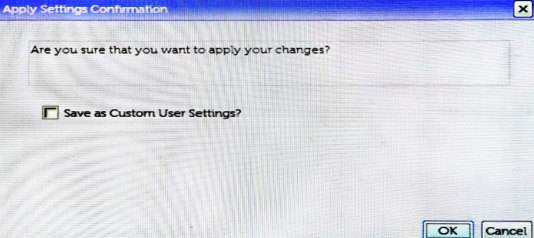
设置U盘启动,Apply应用,勾选Save as Custom User Settings> ok
适用机型 戴尔dell 飞宇高级影像工作站 ANYTHINK 4.*
开机按F2 进入BIOS系统
进Settings>General>Boot Sequence
点击上下箭头调整开机引导顺序
设置U盘启动,Apply应用,勾选Save as Custom User Settings> ok